
A content strategy framework is a plan that links keyword research, topical authority and sales pages into one system instead of a loose pile of blog ideas. For an online store, that means the words you target on a category page, the buying guides you write around them, and the product pages you want to rank all point at the same goal: a sale. Most retail teams treat these three jobs as separate tickets. A writer picks keywords, a different person works on “authority” content, and someone else tends to the product pages, and none of it talks to the other.
When those three pieces run on separate tracks, you end up with blog posts that rank for nothing useful and category pages that never get backed up by supporting content. A founder running a Shopify store with forty SKUs does not have the hours to write content for its own sake. Every piece needs a job: either it builds trust around a topic you want to own, or it feeds traffic straight toward a page that takes payment. The order you tackle these in matters more than how much you publish.
Table of Contents
Why Most Content Plans Miss the Sales Part
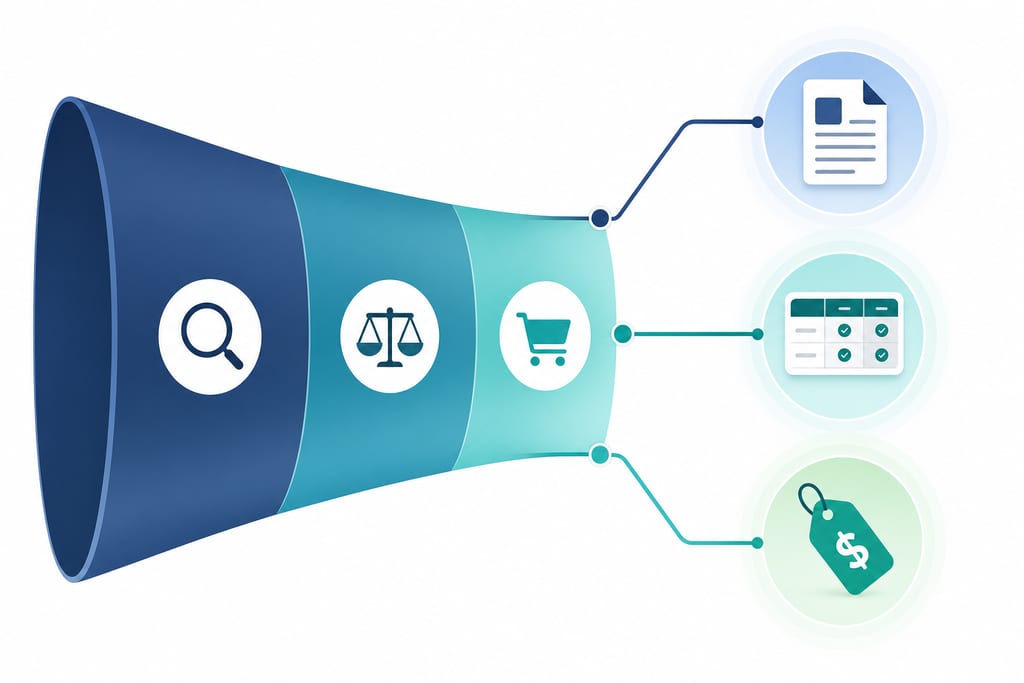
Ranking for a keyword and making a sale are two different jobs, and most content calendars only plan for the first one. Online retailers often report plenty of visits to a blog post with no bump in orders, because the post was never built to hand traffic off to a buying page. Each stage of the funnel needs its own type of page, not one more article stretched to cover all three.
A working framework splits the work into layers, so a writer or a founder can see which job each page is doing before it gets published.
| Layer | Purpose | Example page type |
|---|---|---|
| Keyword layer | Capture search demand | Category page, buying guide |
| Authority layer | Build trust on a topic | Comparison post, how-to article |
| Sales layer | Convert the visit | Product page, landing page |
A useful comparison of this kind of structured approach sits in the marketing frameworks guide from the AMA, which breaks planning into stages rather than one flat list of tasks.
Start With Keywords That Match Buying Intent
Keywords sort into three groups based on how close someone is to paying: research, comparison and ready-to-buy. A shopper typing “what fabric is best for running shorts” is miles from checkout. One typing “buy merino running shorts size M” is reaching for their card.
Search volume on its own tells you nothing about where a term sits in that journey. A high-volume research term can bring thousands of visits and zero orders, while a low-volume ready-to-buy term converts at a far higher rate because the searcher already decided what they want. Treat volume as a filter, not a priority order. Once you know the intent behind a keyword, match it to the right page type instead of forcing it onto whatever page already exists.
- Research intent: blog posts, guides, FAQ pages
- Comparison intent: “versus” pages, buyer’s guides, spec tables
- Ready-to-buy intent: product pages, category pages, landing pages
- Branded intent: homepage, brand story page
Sorting this way also stops a common mistake: writing a product page stuffed with research-stage keywords it can never rank for, while the real answer to that research question sits unwritten.
Build Authority in a Logical Topic Order
Group your topics into clusters, with one commercial page at the centre and several supporting pages feeding it. A footwear retailer selling trail runners might build a cluster around “trail running shoes” as the hub, with supporting pages on sock pairing, trail versus road soles, and break-in time.
Publish the supporting pages before you push hard on the commercial one, not after. Search engines need time to associate the topic with your site, and a brand new product page with no supporting content around it has nothing backing its claims. Internal links are what move that trust from the supporting pages to the page you actually want to rank. Without them, each page sits isolated and the cluster never behaves like a cluster.
- Pick one commercial page as the hub for each product category
- Write three to five supporting pages that answer real buyer questions around it
- Link every supporting page back to the hub, and link the hub out to each supporting page
- Hold off on paid promotion of the hub until the cluster is fully linked
This sequencing is slower than publishing random posts, but it’s the difference between a hub page that ranks on its own authority and one that’s still waiting on Google to figure out what it’s about.
Turn Content Into Pages That Close Sales
Every cluster needs one clear destination where the sale actually happens, and that page has to be built for conversion, not just for ranking. A comparison post can send traffic anywhere, but if the hub page it points to has a generic “contact us” button and no pricing, most of that traffic leaves without buying.
The call to action on that page has to match where the visitor is coming from. Someone arriving from a comparison article is still weighing options, so a “see full spec sheet” or “start a free trial” button works better than a hard “buy now” push. Trust elements, reviews, a clear returns policy, and visible pricing, cut drop-off at the final step more than any headline copy will.
- Weak page: no pricing shown, generic contact form, no reviews visible
- Strong page: pricing upfront, enquiry form tied to the specific product, star ratings near the add-to-cart button
- Weak page: one call to action repeated regardless of traffic source
- Strong page: call to action changes based on whether the visitor came from a guide, a comparison page, or a search ad
Businesses offering local SEO work often spend this stage auditing exactly these page elements, because the content plan only pays off once the page it feeds is built to close.
Set a Content Calendar That Tracks Revenue
Schedule releases around finishing a cluster, not around a fixed posting frequency. Publishing two posts a week sounds productive, but if they belong to three different unfinished clusters, none of them builds enough authority to help the hub page they’re meant to support.
Once a cluster is live, track assisted conversions and enquiry source rather than pageviews alone. A guide page with modest traffic but strong assisted conversions is doing more work than a viral post that never sends anyone toward a purchase. Review every page in the cluster each quarter and prune anything that brings traffic but never touches a sale.
- Confirm every page in the cluster still links to the hub correctly
- Check assisted conversions by source, not just total sessions
- Flag pages with traffic but no enquiry or purchase credit
- Decide whether to rewrite, merge, or remove flagged pages before starting the next cluster
A founder adding AI-driven search tools on top of this structure, something covered under AI SEO work, still needs this same quarterly habit, because new channels don’t change the basic question of whether a page is earning its place.
Fix The Site Or Write The Content First
Clusters built on keyword and authority planning alone often stall on category and product pages, and the cause is rarely the writing. A page can target the right intent, link to the hub correctly, and still sit unindexed or slow to load, which no amount of extra copy will fix. The choice here is really about sequencing: fix the plumbing before you build out the cluster, or build the cluster and hope the plumbing holds.
Product and category pages carry the heaviest technical load in an online store, duplicate variants, thin descriptions auto-pulled from a supplier feed, pagination that confuses crawlers. None of that shows up in a keyword spreadsheet or a content calendar, but it decides whether the hub page the cluster is built around can rank at all. A founder who skips this check is choosing to publish on faith rather than evidence.
| Site condition | What it costs you | Right move |
|---|---|---|
| Clean indexing, fast pages | Little, content can proceed | Build the cluster as planned |
| Duplicate product variants | Split ranking signals across pages | Resolve before writing supporting content |
| Slow category pages | Lost rankings despite good content | Fix technical issues first |
| Unclear crawl paths | Hub page never gets found | Audit before investing in writing |
A search audit answers that question before any supporting page gets written, by checking whether the hub page can physically support the cluster you’re planning to build around it.
Decide Whether Your Site Can Carry The Cluster You’re Planning
Before you brief another writer or book another freelancer, check whether the pages you already have can actually hold the rankings you’re chasing. A framework only pays off if the hub page underneath it can be crawled, indexed and loaded fast enough to keep a shopper on it. ScaleCurrent runs a free Search Audit that checks exactly that, duplicate variants, slow category pages, broken crawl paths, before you spend another week on supporting content. Email hello@scalecurrent.com.au and get the audit started. Know what’s broken first, then build the cluster on top of it.
Want more customers from Google and AI search? Tell us about your business.
Content Strategy Questions for Online Stores
Should I rewrite old blog posts or just add new ones to the framework?
Check if the old post already matches a real keyword intent before writing anything new. If it was written for a research question and gets traffic but no enquiries, update it to link into a hub and fix its call to action. If it was written with no intent in mind at all, a rewrite rarely saves it, treat it as a new supporting page instead.
How many keywords should one page target under this framework?
One page should chase one primary intent, not a list of keywords. A buying guide can rank for several related research terms naturally, but once you try to make one page serve research, comparison and ready-to-buy searches at once, it stops ranking well for any of them. Pick the stage first, then let keywords follow.
Does this framework work if I sell through marketplaces as well as my own site?
Yes, but the hub and sales page both need to sit on your own site, not on the marketplace listing. Marketplace pages can’t carry your internal links or your own trust signals, so treat them as a separate sales channel and build the cluster around the product pages you actually control.
What happens if my authority content outranks my own product pages?
That usually means the supporting page is doing its job but the hub isn’t linked back to strongly enough, or the product page itself has a technical problem stopping it from ranking. A search audit, which ScaleCurrent runs for free, checks the product page side of that question before you touch the content again.