
A Shopify collection page ranks well when it reads like a real category page, not a product dump: a short block of unique copy up top, a clear H1 that matches what people search, and internal links that tell Google what the page is actually about. Search someone’s “mens leather boots” and most of the time it is a collection page sitting in the top results, not a single product listing. Google treats these pages as the natural home for category searches, because they group options together the way a shopper actually wants to browse.
Most Shopify stores never get there. The collection page is left as the default grid Shopify builds for you, a title, a row of products, maybe a filter bar, and nothing else written for the page itself. No context, no unique text, nothing that tells a search engine or a customer what makes this range worth looking at. Fixing that usually comes down to a handful of specific things, done properly, rather than a full rebuild of the store.
Table of Contents
Why Collection Pages Matter More Than You Think
Product pages carry one job: sell a specific item, like a “men’s Blundstone chelsea boot size 10”. Collection pages carry a bigger job, they rank for the broad terms people type before they know which item they want, like “men’s leather boots” or “work boots”. That broader search has more people behind it, so a strong collection page pulls in far more traffic than any single product listing ever could.
Google reads a collection page the way a shopper reads a department in a physical store, a grouped section with a sign on it, not a shelf of one item. That’s why collection pages need their own identity: a clear theme, their own copy, their own set of signals, separate from the products sitting inside them.
| Factor | Collection Page | Product Page |
|---|---|---|
| Search intent | Browsing a category | Buying one specific item |
| Keyword type | Broad, category-level | Narrow, item-specific |
| Traffic potential | Higher search volume | Lower, but closer to purchase |
Both page types matter, but a store that only optimises product pages is leaving the bigger search volume on the table. The tips for improving collection page rankings from Shopify SEO specialists back this up, pointing to category structure as the piece most stores skip.
Get Your Shopify Collection Page SEO URLs Right
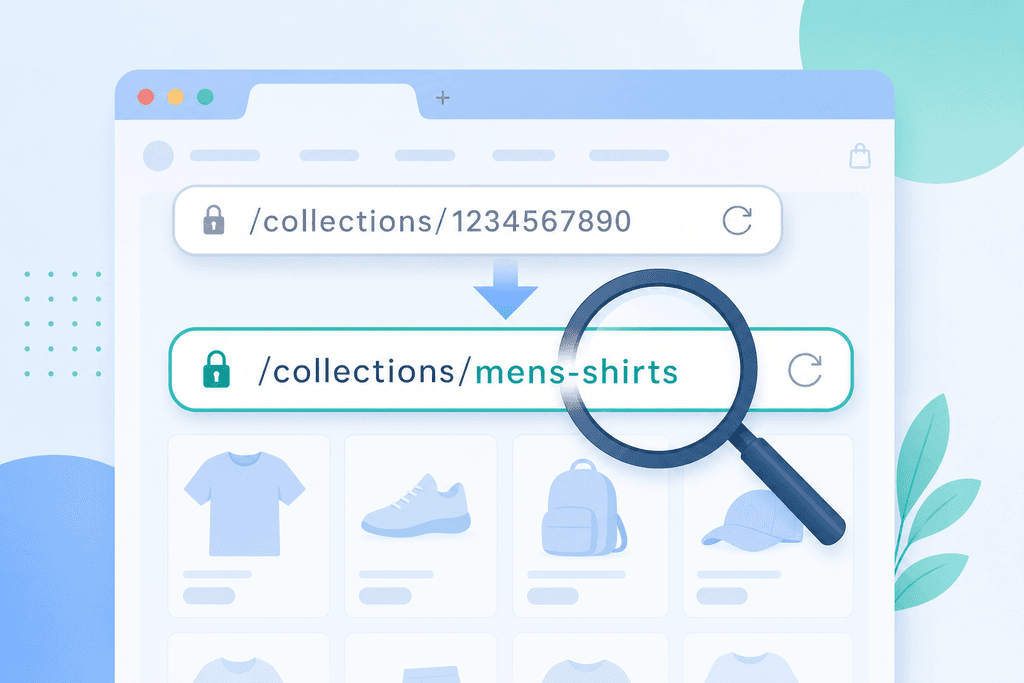
A collection URL should tell Google and the shopper exactly what’s in the range before they even click. Use /collections/leather-boots, never /collections/collection-12, because Shopify will happily generate the ugly version if you don’t rename it yourself in the admin.
Every collection also needs its own title tag and meta description, written for that specific range, not left as the generic “Collection Name – Store Name” Shopify auto-fills. Skip this and every category on the site looks identical to a search engine, which makes it harder for any single one to stand out.
Match the wording to how Australians actually search, including local spelling. “Thongs” beats “flip flops,” “trackies” beats “sweatpants,” and these small swaps change what a title tag actually catches.
- Default title: just the collection name repeated across every page on the store
- Optimised title: collection name plus the phrase shoppers type, like “Leather Boots | Men’s Boots Australia”
- Default meta description: blank, so Google pulls random on-page text instead
- Optimised meta description: one line on what’s in the range and who it suits
Write Collection Copy That Actually Helps Rankings
Good collection copy answers a real question a shopper has before they scroll past the first three products. Aim for 150 to 300 words of genuine category copy, not a paragraph stuffed with the same keyword five times.
Write about what actually matters to the buyer: materials, sizing quirks, care instructions, or when a product gets used. A surf shop’s “wetsuits” collection might mention water temperature guides and thickness options, because that’s what someone shopping that category is trying to work out.
Placement matters too. Put the copy below the product grid or inside a collapsible section, so it doesn’t push the products shoppers came for further down the page.
- Does the copy mention a material, size, or use case a shopper would actually search for
- Is it under or inside a collapsible block, not sitting above the grid
- Does it read like a person wrote it, not a keyword list with full stops
- Is it different from every other collection’s copy on the store, not a copy-paste template
Stop Filtered Pages From Competing With Each Other
Shopify’s filter and sort options generate a new URL for every combination a shopper clicks, like size, colour, and price together. A store with 20 products and five filter options can quietly spin out hundreds of near-duplicate URLs, and Google has to guess which one is the real page.
Canonical tags pointing back to the main collection URL fix most of this, telling Google that a filtered view is a variant of the main page, not a separate one worth indexing on its own.
Not every filter combination deserves its own indexable page. That decision comes down to real search demand, something a tool like the one covered in Shopify’s own SEO checklist (Shopify SEO Checklist) can help you check against actual search volume.
- Filtered URL with one option selected, like colour, usually not worth indexing alone
- Filtered URL matching a real search term, like “size 10 work boots,” can justify its own page
- Main collection URL always keeps the canonical tag pointing to itself
Link Your Collections So Google Finds Them Easily
A collection page buried three menus deep tells Google it isn’t important, even if the copy and titles are perfect. Link your key collections straight from the homepage and the main navigation bar, not a dropdown nobody opens.
Product pages and blog posts should link back to related collections too, since that passes relevance signals and gives shoppers an obvious next click. Breadcrumb navigation does the same job in reverse, showing the path from homepage to category to product so both Google and the shopper understand where they are.
Getting this structure right across a whole catalogue is the kind of audit work that falls under broader site reviews, including the sort covered by local SEO services for businesses selling to Australian customers.
- Homepage links to top collections, not just the search bar
- Navigation menu shows collections within two clicks, not buried in submenus
- Product pages link to the collection they belong to and one related one
- Breadcrumb trail runs Home > Category > Product on every page
Fix It Yourself Or Get It Audited
Most Shopify stores pour hours into product descriptions and blog posts, then leave every collection page running on the default template. That’s backwards, because the collection page is what shows up when someone searches a broad category term, not a specific product name. A thin collection page with zero unique copy is the single biggest missed opportunity on most catalogues, and it’s also the easiest one to spot once you know to look for it.
The real decision is whether to fix this yourself or get someone to audit it. Doing it yourself costs time, not money, and works fine if you’ve got one person who can write category copy, rename URLs, and set canonical tags across every range without burning out halfway through. A professional audit costs money up front, but catches the filter-URL duplication and internal linking gaps that most founders miss because they’re too close to the catalogue.
| Approach | Main cost | Best fit |
|---|---|---|
| DIY fixes | Your own time | Small catalogue, one confident writer |
| Freelancer or agency audit | Upfront fee | Larger catalogue, multiple collections |
| Free AI check | Nothing, just a quick look | Unsure if the problem is even there |
Anyone unsure which bucket they’re in can run a free AI check through AI SEO before committing to either path, or send the catalogue details to hello@scalecurrent.com.au for a second opinion.
Start With Your Biggest Category, Not Every Category
Pick the one collection carrying your highest traffic or your best margin, maybe “leather boots” if that’s what pays the bills, and apply the URL rename, the copy, the canonical cleanup, and the internal links there before touching anything else. One page done properly beats twenty pages half-fixed. If you’re not sure which collection is actually underperforming, a free AI check or Search Audit from ScaleCurrent (hello@scalecurrent.com.au) can point to the ranges losing traffic right now, so you’re not guessing which one to fix first. Get that one page right, watch what happens over the next few weeks, then use the same steps on the next collection down your list.
Want more customers from Google and AI search? Tell us about your business.
Common Questions About Collection Page SEO
Should I noindex low-traffic collection pages instead of trying to optimise them?
Noindex is worth it only when a collection has no real search demand behind it, like a leftover seasonal range nobody searches for anymore. If people are typing the term into Google even occasionally, write the copy and fix the URL instead of hiding the page. Pulling a page out of the index should be a last resort for dead categories, not a shortcut around doing the work.
How many products does a collection need before it’s worth optimising for SEO?
There’s no product count that decides this, search demand does. A collection with eight products matching a real search term like “waterproof hiking boots” is worth fixing, while a collection with fifty products nobody searches for isn’t. Check whether the category phrase gets typed into Google before spending time on the copy, URL, and internal links.
Will adding text to my collection page slow down my page speed?
Plain text copy adds almost no load time on its own, it’s a few hundred words, not images or scripts. Speed problems on collection pages usually come from unoptimised product photos, extra apps, or filter widgets running too much code. Add your category copy inside a collapsible block and check page speed with a tool like Google PageSpeed Insights afterward, so you know what actually changed.
Can I use the same collection page copy across similar categories to save time?
No, duplicate copy across similar categories confuses Google about which page should rank for which term, and both pages usually end up weaker. “Men’s leather boots” and “women’s leather boots” need separate paragraphs covering what’s different, like sizing or styling, even if the products overlap. Reusing a template with just the colour or size swapped out counts as thin content, not a real fix.