
Google AI Overviews cut CTR because the answer sits right there on the results page, so a shopper never has to click through to your site to get what they searched for. If someone searches “best running shoes for flat feet Australia” and the overview spells out three options, your product listing can rank in position two and still lose the click. Your rankings might not move at all. Your traffic and revenue can still fall.
This is why impressions in Search Console can hold steady or even climb while clicks slide the other way. The query volume hasn’t changed, people are still searching the way they always have, but fewer of them need to leave the search page to act. For an online store, that gap between how often you show up and how often someone actually lands on your product page is the real number to watch, not your ranking position.
Table of Contents
What Changed When AI Overviews Rolled Out
An AI Overview is a block of text Google builds by pulling snippets from several pages and summarising them into one answer, placed above the normal blue links. It sits there before anyone scrolls to the organic results your product pages are fighting to reach.
These overviews show up most on searches where someone is comparing options or learning something, not when they already know the exact product they want. “Best,” “vs,” “how to choose” and “what is” style searches trigger them far more than a direct brand or SKU search does.
That split matters for an online store, because your category pages and buying-guide content tend to sit on exactly the query types most likely to get summarised.
| Query type | Pre-AI Overview CTR | Post-AI Overview CTR |
|---|---|---|
| Comparison (“best X for Y”) | High | Low |
| Informational (“how to choose X”) | Moderate | Low |
| Branded product search | High | Mostly unchanged |
| Local “near me” search | Moderate | Mostly unchanged |
One detailed breakdown of this pattern is in CTR Compression: What Happened to Your YoY Clicks?, which digs into why comparison and informational queries absorb most of the drop while branded searches barely move.
Which Searches Are Losing Clicks to AI Overviews
Not every query gets summarised the same way. Comparison searches like “best protein powder for keto” or “which air fryer is quietest” trigger an AI Overview almost every time, because Google can pull a few product specs and call it answered. Branded and transactional searches, think “Nike Pegasus 41 size 10” or “buy cast iron skillet online”, stay mostly untouched since the shopper already knows what they want.
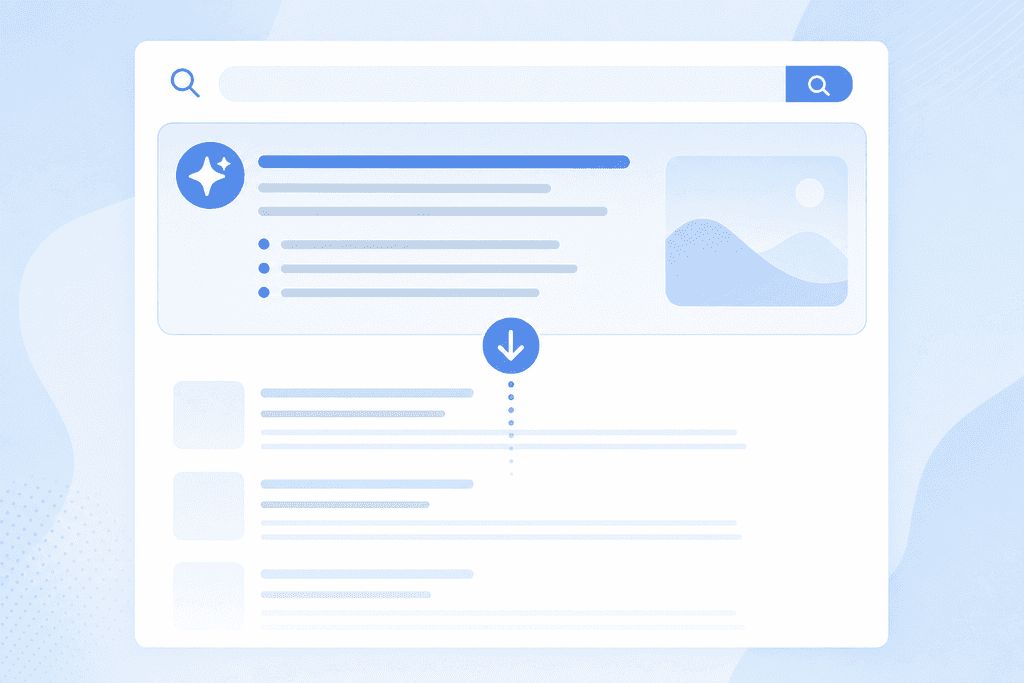
Top-of-funnel blog content takes the biggest hit. A buying guide ranking in position one can lose most of its clicks even while it keeps the top spot, because the overview answers the “what should I buy” question before the reader scrolls past it.
- Comparison queries (“best X for Y”): high AI Overview trigger rate
- How-to and buying-guide queries: high trigger rate, low recoverable CTR
- Branded product searches: low trigger rate, click behaviour largely unchanged
- Transactional searches with a model number or SKU: rarely summarised
The rule worth remembering is this: if your page answers a question instead of selling a specific product, assume Google will try to answer it for you first. That’s the split to plan around before you touch a single blog post.
How to Measure Your Real CTR Loss in Search Console
Open the Performance report, filter by page, and sort by impressions. Any page where impressions stayed flat or rose but clicks fell is a candidate for AI Overview displacement rather than a ranking problem.
Next, check average position for that same page over the same date range. If position barely moved but CTR percentage dropped, that’s a strong sign the overview, not the algorithm, took the click. A real ranking drop usually shows position sliding and CTR falling together.
- Filter queries where impressions are flat or up and clicks are flat or down
- Compare position trend against CTR trend for the same three-month window
- Group by query type, comparison versus branded versus local, to see where the pattern concentrates
- Note any page where CTR fell more than 10 percentage points with no position change, since that’s rarely explained by anything else
This method won’t tell you exactly what the overview said, but it tells you which pages deserve attention first. A Search Audit can run this filtering across a whole site faster than doing it page by page, which matters once you’re past a few hundred product and blog URLs.
Content Fixes That Help Pages Earn AI Citations
Citation clicks are the new version of organic traffic. If Google quotes your page inside the overview and links back to it, you still get a visitor, even if your organic listing further down the page gets ignored.
The fix starts at the top of the page, not the bottom. Answer the exact question in the first two sentences, before any brand story or background, because that’s the chunk most likely to get lifted into a summary.
- Put the direct answer in the first two sentences, then expand below it
- Use short, scannable headings and lists instead of long paragraphs
- Add schema markup for products, FAQs and reviews so Google can parse the page structure
- Include real numbers: prices, sizes, delivery times, stock locations
- Name the specific city or region for any local claim instead of saying “near you”
The detail that gets cited is almost always specific. A page that says “ships in 2 to 3 business days from Melbourne” gets quoted more than one that says “fast shipping Australia-wide”. Vague copy doesn’t give the AI anything concrete to pull.
Where to Redirect Effort When Clicks Won’t Return
Some queries will keep losing clicks to AI Overviews no matter what you fix on the page, and chasing them further is a waste of a content budget. The better move is shifting effort to page types that still hold their own.
Product pages, category pages and “near me” style searches behave differently under AI Overviews, because the intent is narrower and harder to fully answer without a click. A search for “plumber Parramatta” still sends someone to a site, where “how to unblock a drain” might not.
| Page type | AI Overview exposure | Click behaviour |
|---|---|---|
| Comparison blog post | High | CTR drops sharply |
| Branded product page | Low | Mostly stable |
| Local “near me” page | Low to moderate | Mostly stable |
| Generic how-to guide | High | CTR drops sharply |
A free AI check is the fastest way to see which of your own pages fall into the exposed column before you reallocate spend. One detailed study on this pattern, AI Overviews Cut Organic Clicks 38%, First RCT Finds, found the drop concentrated almost entirely in informational queries, not transactional ones, which lines up with what shows up in most Search Console accounts once you filter for it.
Fix Every Page or Pick Your Battles
Rewriting every buying guide on the site is one option, and it works, but it costs weeks of writer time you could spend on new product launches. Prioritising the top 20 pages by lost clicks, using the Search Console filter from earlier, gets most of the recovery for a fraction of the effort. The trade-off is simple: full coverage costs money and time, triage costs you some upside on the pages you skip.
Specificity beats volume here. A category page with real stock numbers and schema markup earns a citation faster than ten thin blog posts chasing the same keyword, because Google is pulling exact details, not padding. That’s also why chasing every affected query is the wrong instinct; a handful of high-traffic comparison pages usually account for most of the drop, and the rest barely move the revenue needle.
| Approach | Cost | Best for |
|---|---|---|
| Rewrite every page | High, ongoing writer hours | Large catalogues with spare content budget |
| Fix top 20 pages by lost clicks | Moderate, one sprint | Most online retailers right now |
| Ignore and monitor only | Low, but revenue keeps leaking | Stores with mostly branded traffic |
AI Overview coverage keeps expanding into new query types, so a page that’s safe today may not stay that way. Monitoring needs to run every quarter, not once, and a AI SEO add-on built for this is worth it once checking Search Console by hand starts eating a full day a month, as the CTR research on this keeps confirming.
Deciding Which Pages to Check Before You Spend on Fixes
Before you brief a writer or touch a single product description, pull the data first. You need a list of pages where impressions held steady and clicks fell, ranked by how much traffic each one lost, not by gut feel about which category “feels” important. That list tells you where a content budget actually pays off versus where Google will keep the click no matter what you write. If your catalogue runs into the hundreds of URLs and you don’t want to filter Search Console by hand every month, ScaleCurrent’s free AI check or Search Audit builds that priority list for you, and you can start one by emailing hello@scalecurrent.com.au.
Want more customers from Google and AI search? Tell us about your business.
AI Overviews and Your Store’s Clicks
Can I stop Google from summarising my product pages into an AI Overview?
Not directly, no. There’s no meta tag that blocks only AI Overviews while keeping your normal search listing. You can block all indexing with a noindex tag, but that removes you from regular results too, which usually costs more clicks than the overview ever took.
Does losing clicks to AI Overviews mess with my Google Ads numbers as well?
Ads and organic results are measured separately, so an AI Overview eating organic clicks won’t change your Ads click-through rate or quality score directly. What it can do is push more shoppers toward paid listings once the organic answer disappears above the fold, which can quietly push your cost per click up on terms where the overview now sits.
Will writing shorter, more direct answers make my blog boring to read?
It shouldn’t, if you keep the direct answer up top and still expand below it with detail, examples and product specifics. Readers who want depth will keep scrolling, and the ones who only wanted the quick answer were likely to bounce anyway. Engagement time on the parts people actually read tends to hold steady or improve.
How often should I check which pages are losing clicks to AI Overviews?
Once a quarter is the minimum, since AI Overview coverage keeps spreading into query types it didn’t touch before. Stores with large catalogues or heavy comparison content should look monthly. If manual Search Console checks are eating a full day, ScaleCurrent’s AI SEO add-on can run that check for you on a set schedule instead.